Dependency Management
Dependency Management is only available in Crawlab Pro.
Effective dependency management is crucial for maintaining consistent crawler environments across distributed systems. Crawlab simplifies dependency management for Python, Node.js, Go, Java and browser-based projects with built-in support, automated dependency resolution, and cross-node synchronization. This guide covers essential tools for handling requirements installation, virtual environments, and ensuring reproducibility across your crawling infrastructure - including browser automation dependencies like Chrome Driver and related packages.
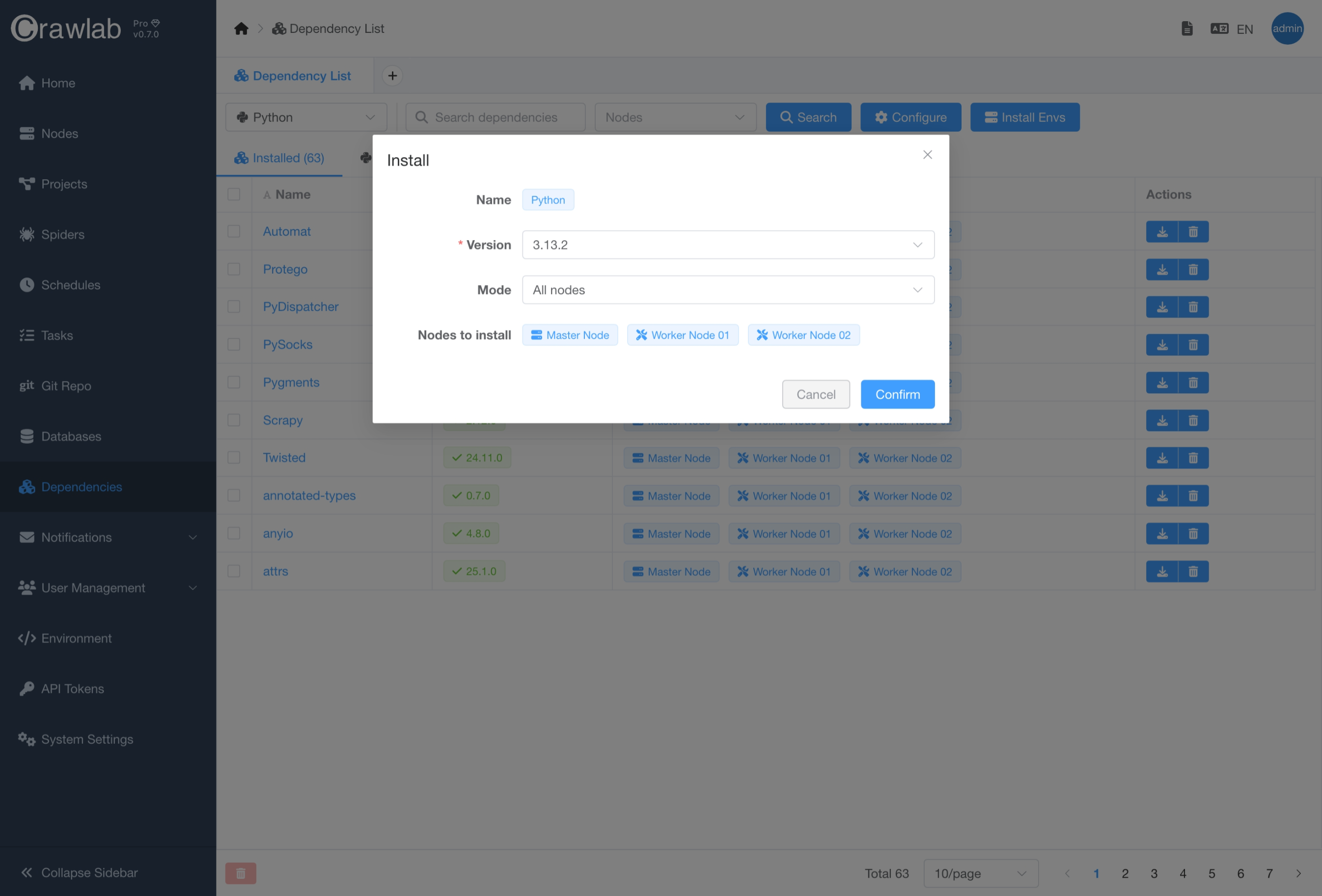
Install Environments
Python is pre-installed in the Crawlab Community edition, whilst Crawlab Pro has already pre-installed Python, Node.js and Browsers environments.
You can install additional programming language environments or switch to the target versions of environments for all nodes or selected nodes by following below steps.
- Navigate to
Dependencylist page. - Select the target environment type (language) in the dropdown list.
- Click
Install Envsbutton. - Select the target programming language environment and version.
- Select
Modefor node selection. - Click
Confirmbutton.
Search Dependencies
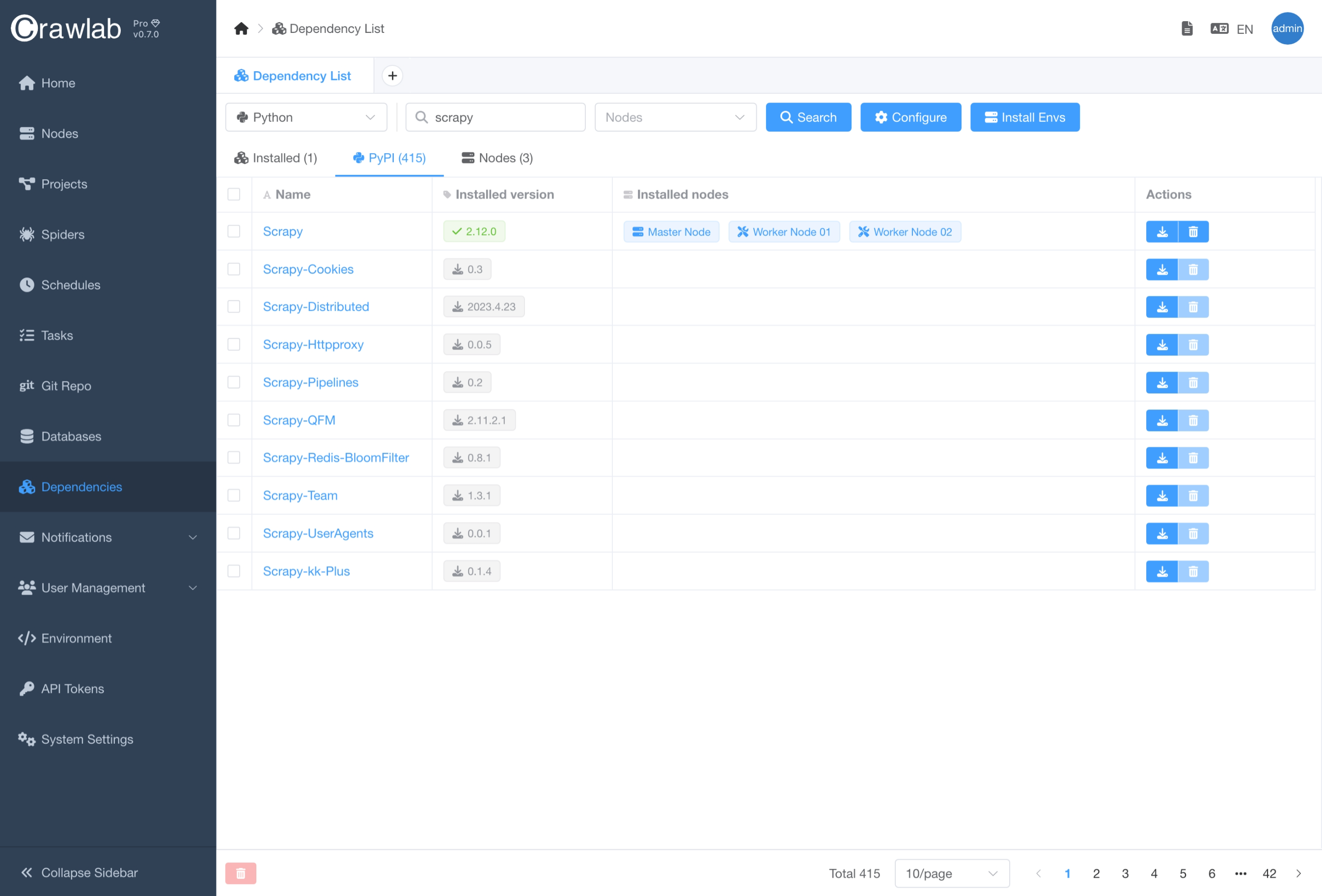
You can search dependencies from PyPI/NPM/Go/Maven repositories by following below steps.
- Navigate to
Dependencylist page. - Select the target environment type (language) in the dropdown list.
- Type in the target dependency name in the search bar.
- Click
Searchbutton.
Install Dependencies
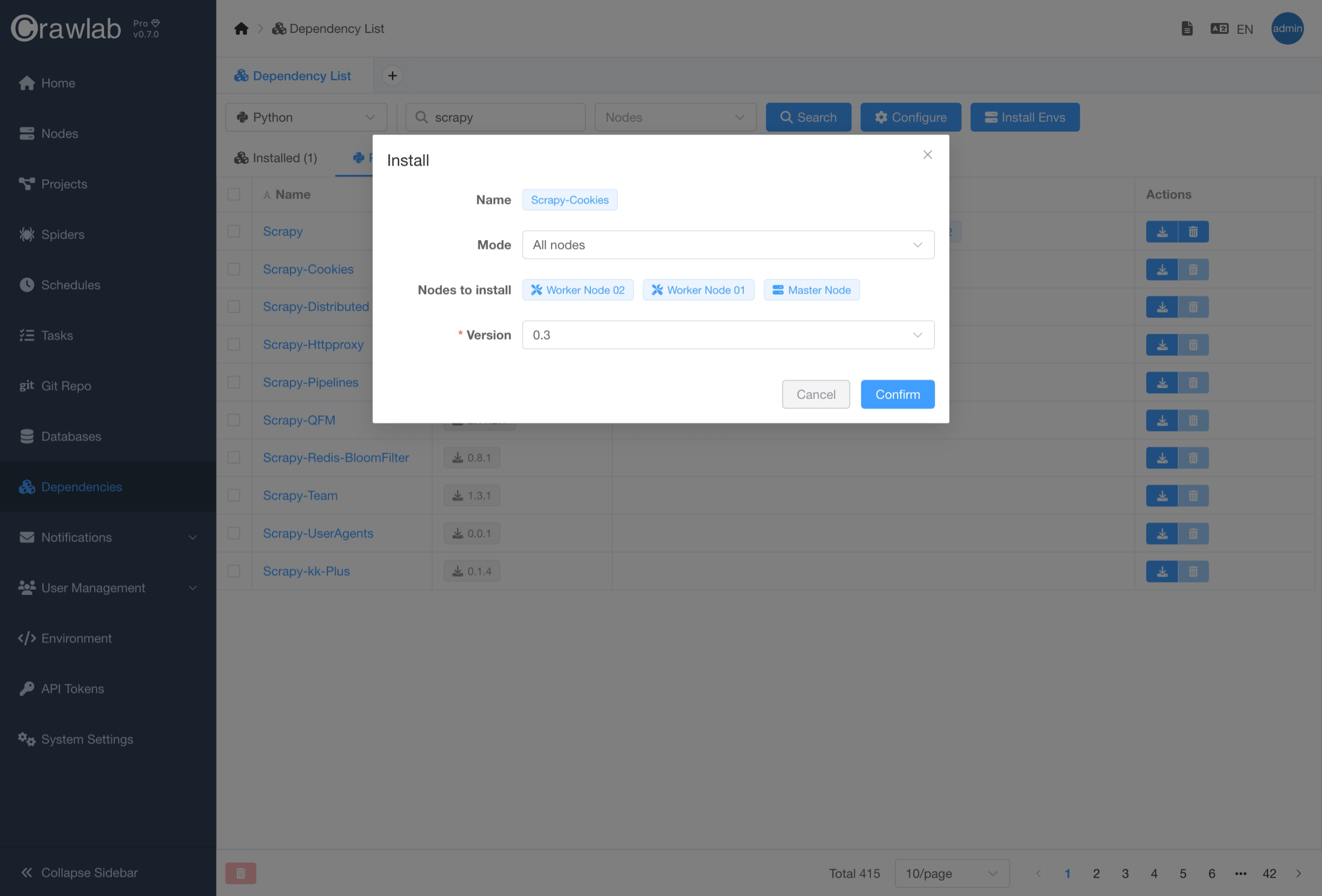
If you want to install the target dependency, you can click the Install button in the search results and select the
target version.
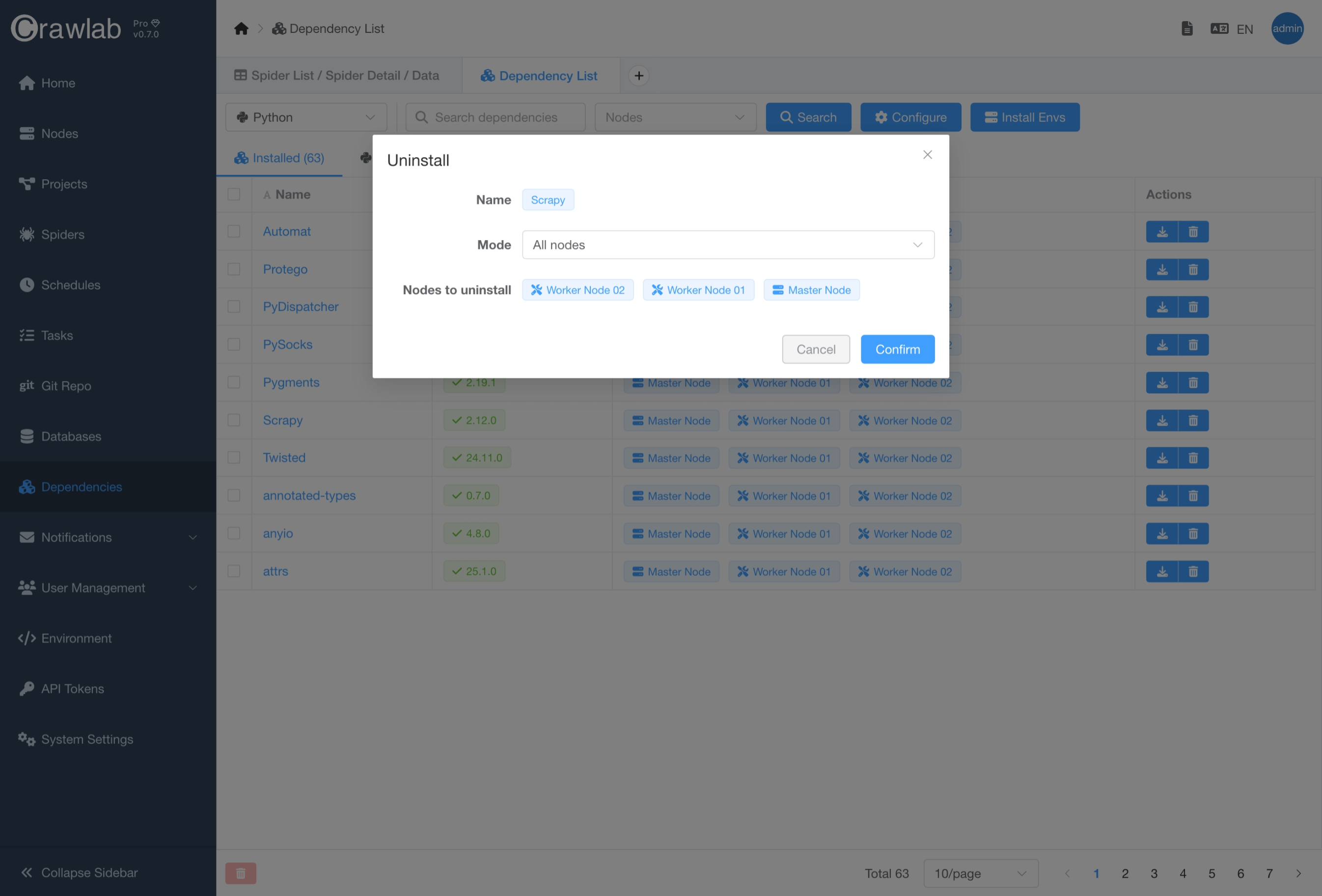
Uninstall Dependencies
Uninstalling dependencies is quite simple, you can click the Uninstall button in the search results.
Auto Install Dependencies
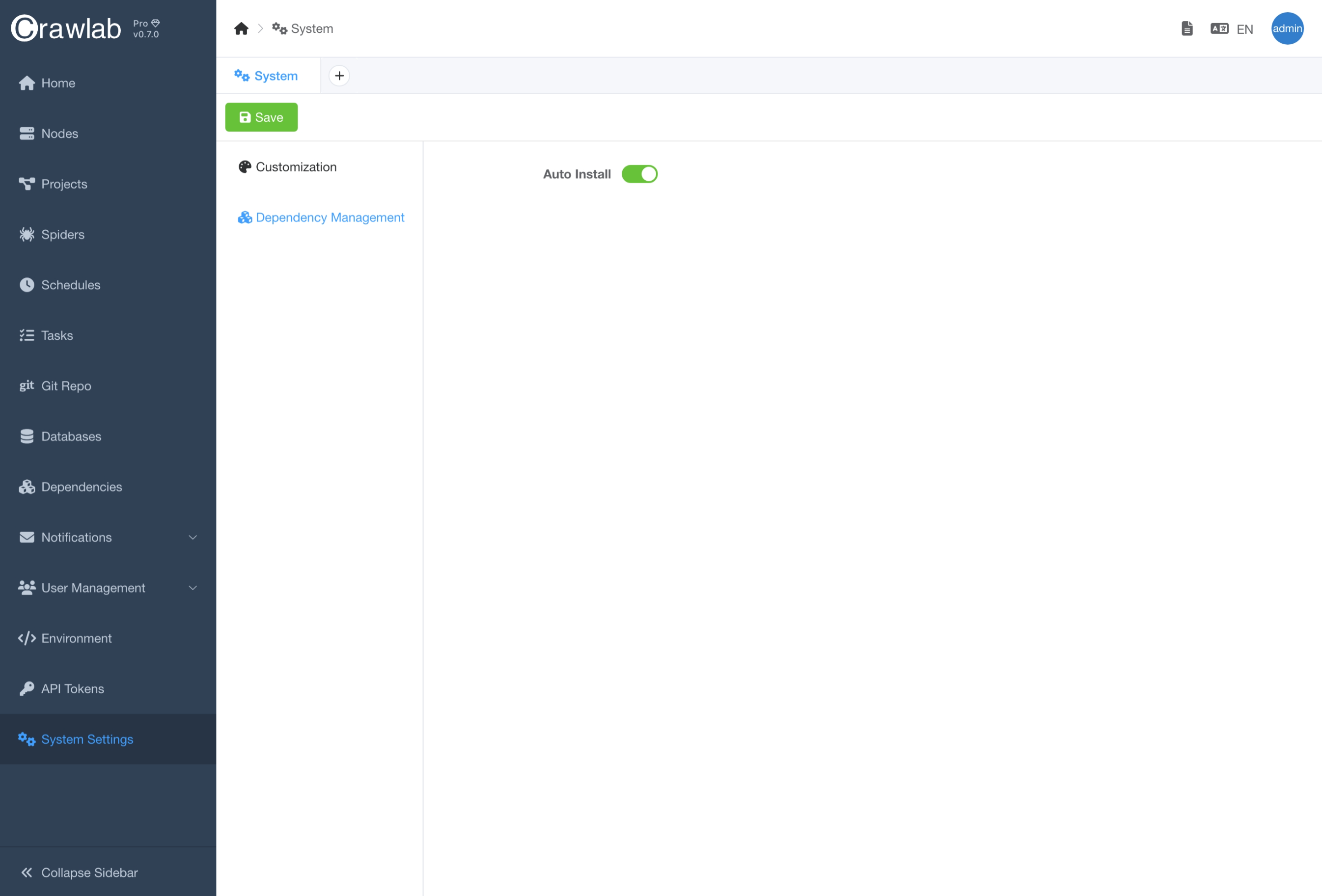
Crawlab Pro offers automatic dependency installation to streamline your workflow. When executing crawlers, the system will:
- Automatically detect required dependencies from your project files (e.g.,
requirements.txt,package.json) - Check existing installations across your nodes
- Install missing dependencies in isolated environments
- Maintain version consistency across all nodes in your cluster
Auto-installation currently supports:
- Python (via
requirements.txt) - Node.js (via
package.json) - Go (via
go.mod) - Java (via
pom.xml)
You can enable/disable auto-installation in the System Settings page.
Automatic installation may add 30-60 seconds to your initial execution time.
Spider Dependencies
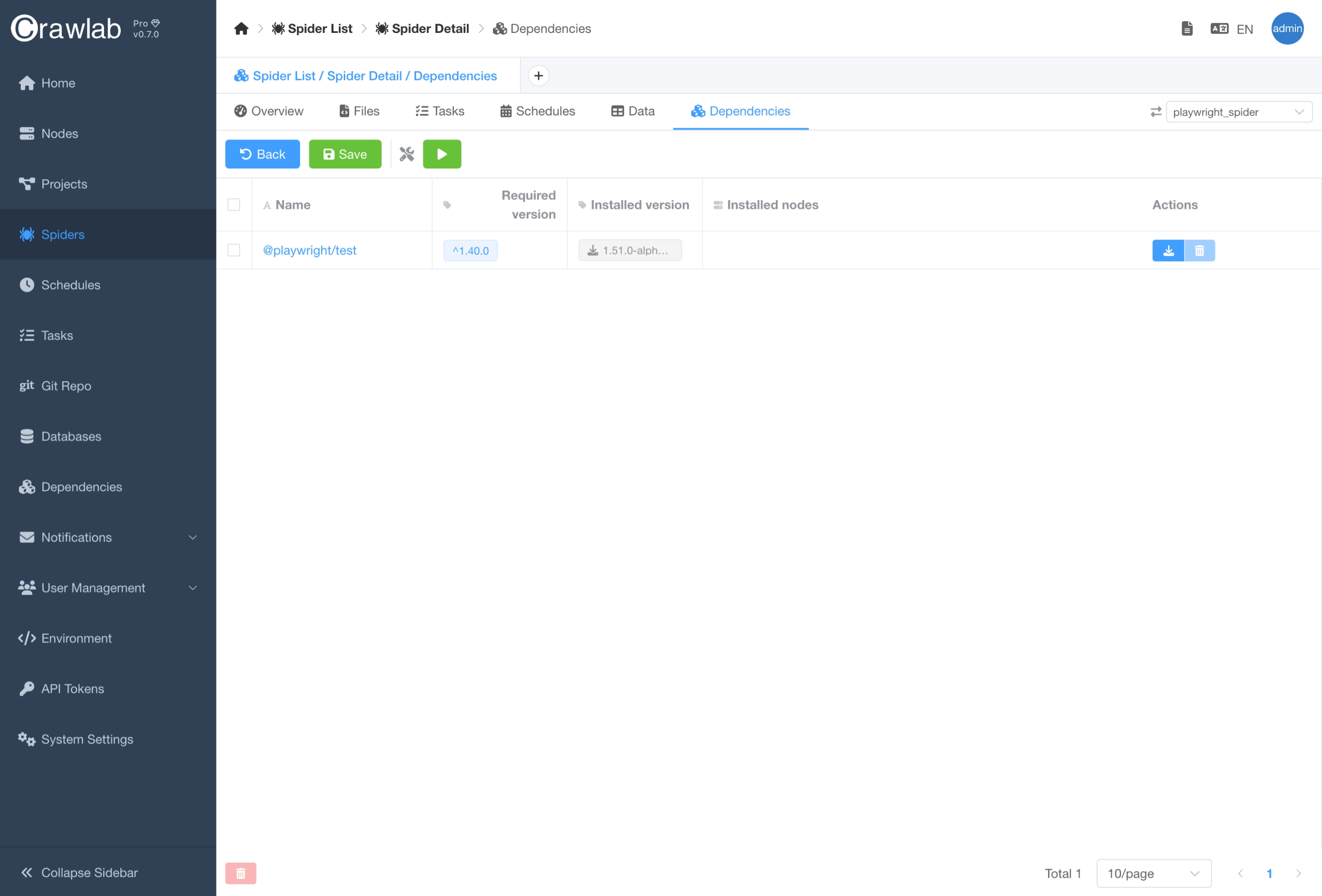
You can view and manage spider dependencies in the Dependencies tab of the Spider detail page. This feature allows
you to easily track and update the dependencies of your spiders, ensuring that they are always up to date and
functioning properly. Managing spider dependencies is crucial for maintaining the health and efficiency of your web
scraping operations.
Network Issues
When managing dependencies in Crawlab, network connectivity issues can sometimes interfere with package downloads and installations. This is especially common in corporate environments with firewalls or in regions with restricted internet access such as Mainland China. Configuring proxies correctly can help resolve these issues.
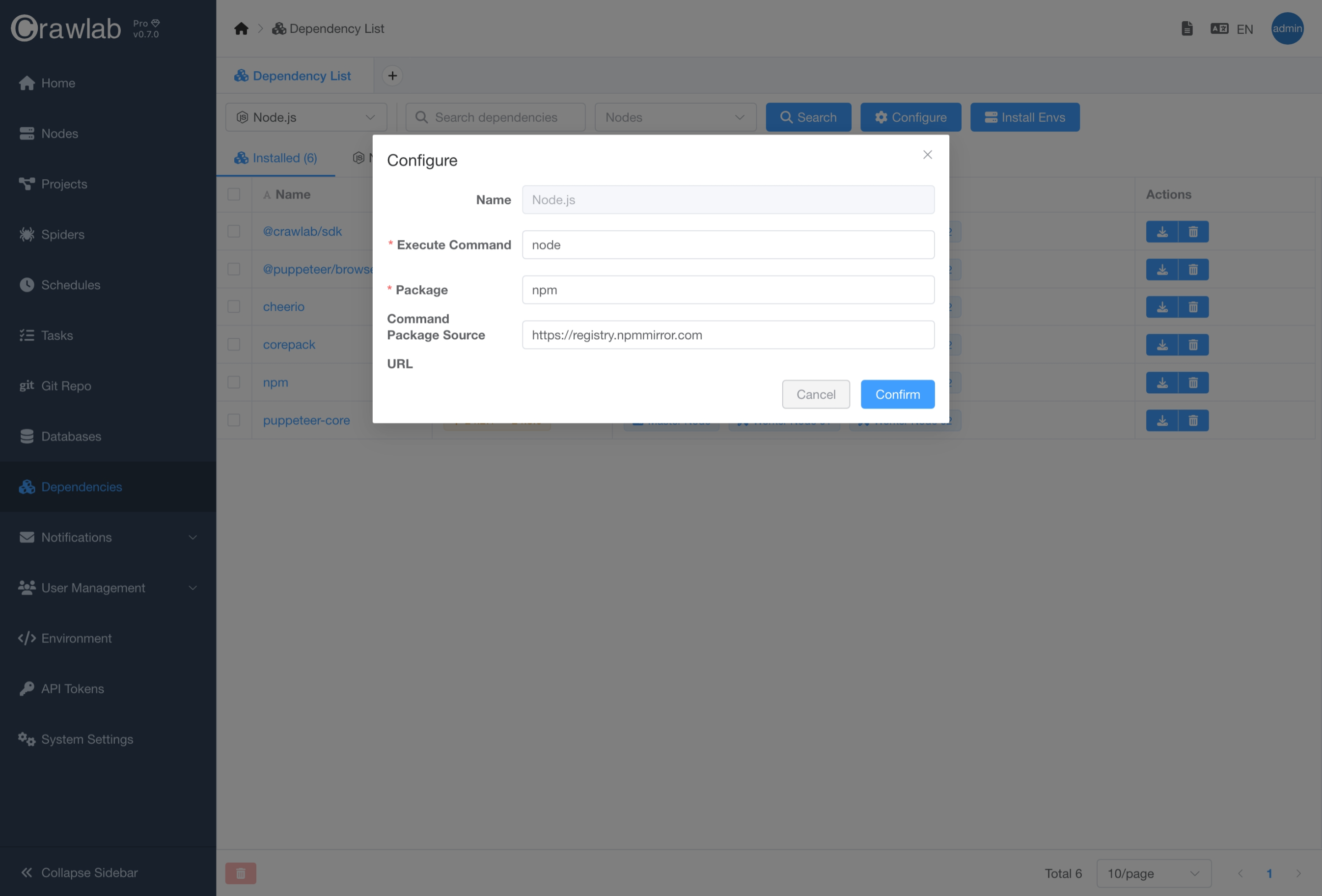
You can manage dependency installation proxy configuration easily by following below steps:
- Navigate to
Dependencylist page. - Select the target environment type (language) in the dropdown list.
- Click
Configurationbutton. - Set
Command Package Source URL. - Click
Confirmbutton.